LUG Newsletter

COMMUNICATION FOR YOUR LUG

A newsletter workspace your LUG owns

Compose branded newsletters, manage subscriber consent and review delivery and engagement inside WordPress.

LUG Newsletter gives your LEGO User Group a WordPress-owned newsletter workspace: monthly editions and quick announcements, structured stories and event dates, reviewed photos and useful links, desktop and mobile previews, and a consent-based subscriber list. Choose existing WordPress mail or a dedicated encrypted SMTP service, configure conservative sending limits, and use an explicit review before audience delivery. Local subscription history preserves opt-outs; removing a contact from future newsletters does not remove the website account. Reports distinguish transport acceptance from confirmed inbox delivery and explain the limits of opens and clicks. LUG Core, BuddyPress and bbPress add optional integrations. Setup and operations guidance is included with the plugin.

What you can do

  • Draft monthly newsletters and quick announcements in WordPress.
  • Organize recaps, upcoming events and undated announcements.
  • Review member photos, captions and link destinations.
  • Manage consent, suppressions and local subscription history.
  • Use WordPress mail or dedicated encrypted SMTP with paced delivery.
  • Review tests and scheduling separately from the final send.
  • Read delivery and engagement reports with clearly stated limits.

Read-only samples, screenshots and training. Newsletter sending and editing are disabled on this demo site. This site does not send email.

Sample Newsletter workspace

Explore fictional drafts, subscription examples and a simulated report. These samples cannot send or schedule email.

Example drafts

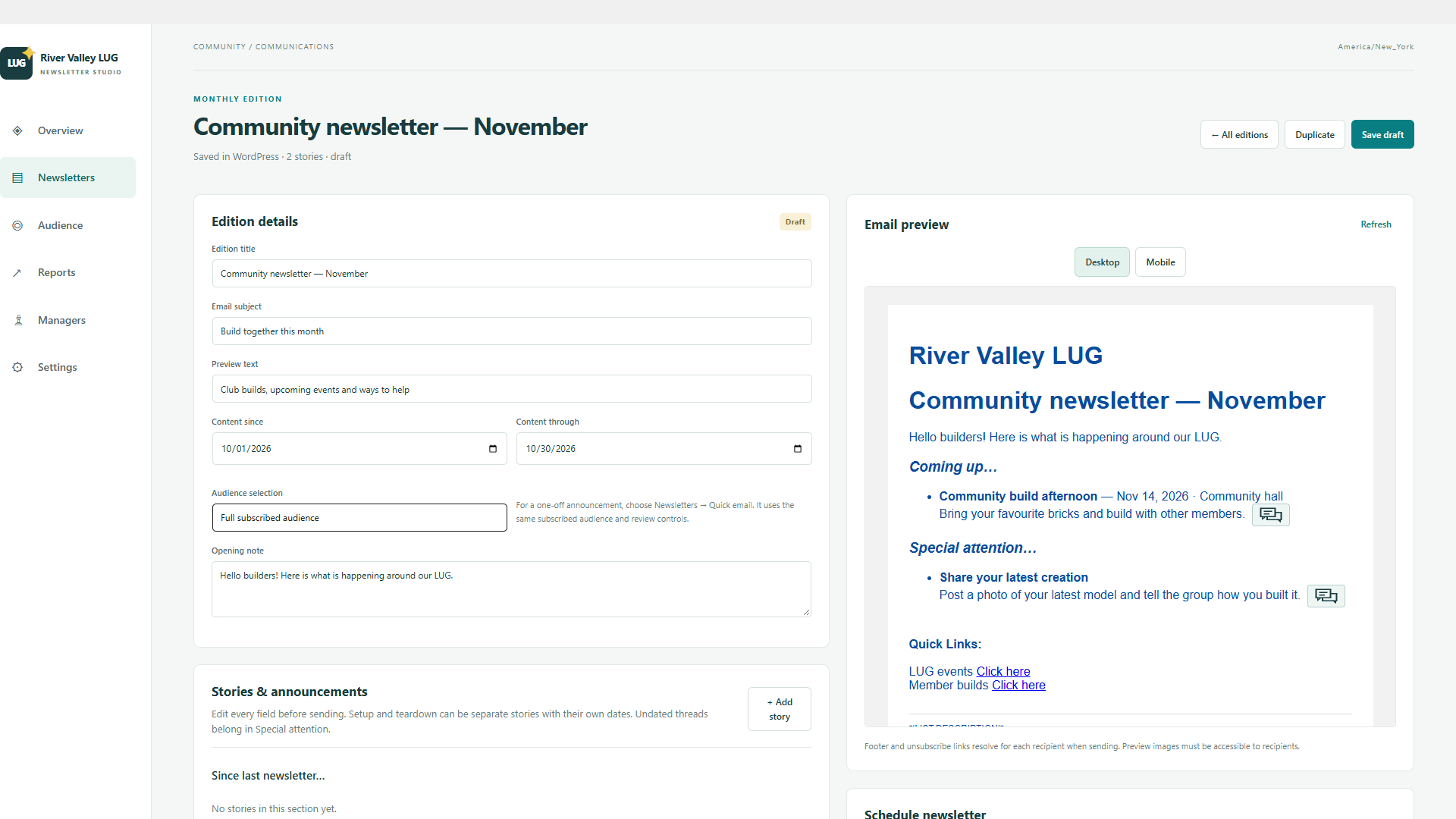
Sample monthly club news · Draft

Subject: Build together this month

Welcome, builders! Explore our next club build and share your latest creation.

Community build afternoon

Bring a small model and help build a shared town display.

Member build spotlight

A colourful brick-built garden inspired our latest group challenge.

Sample volunteer announcement · Draft

Subject: Help at our next display

Here is a short example announcement for club volunteers.

Choose a volunteer shift

Review the example event and see how members can help with setup and visitor questions.

Sample next edition planning · Draft

Subject: Ideas for the next newsletter

This unfinished example stays a draft until an editor reviews it.

Share an idea for the next club challenge

Suggest a theme, a build technique or a small collaborative display.

Fictional contacts

All addresses use the reserved example.org domain. These are sample records, not real subscribers.

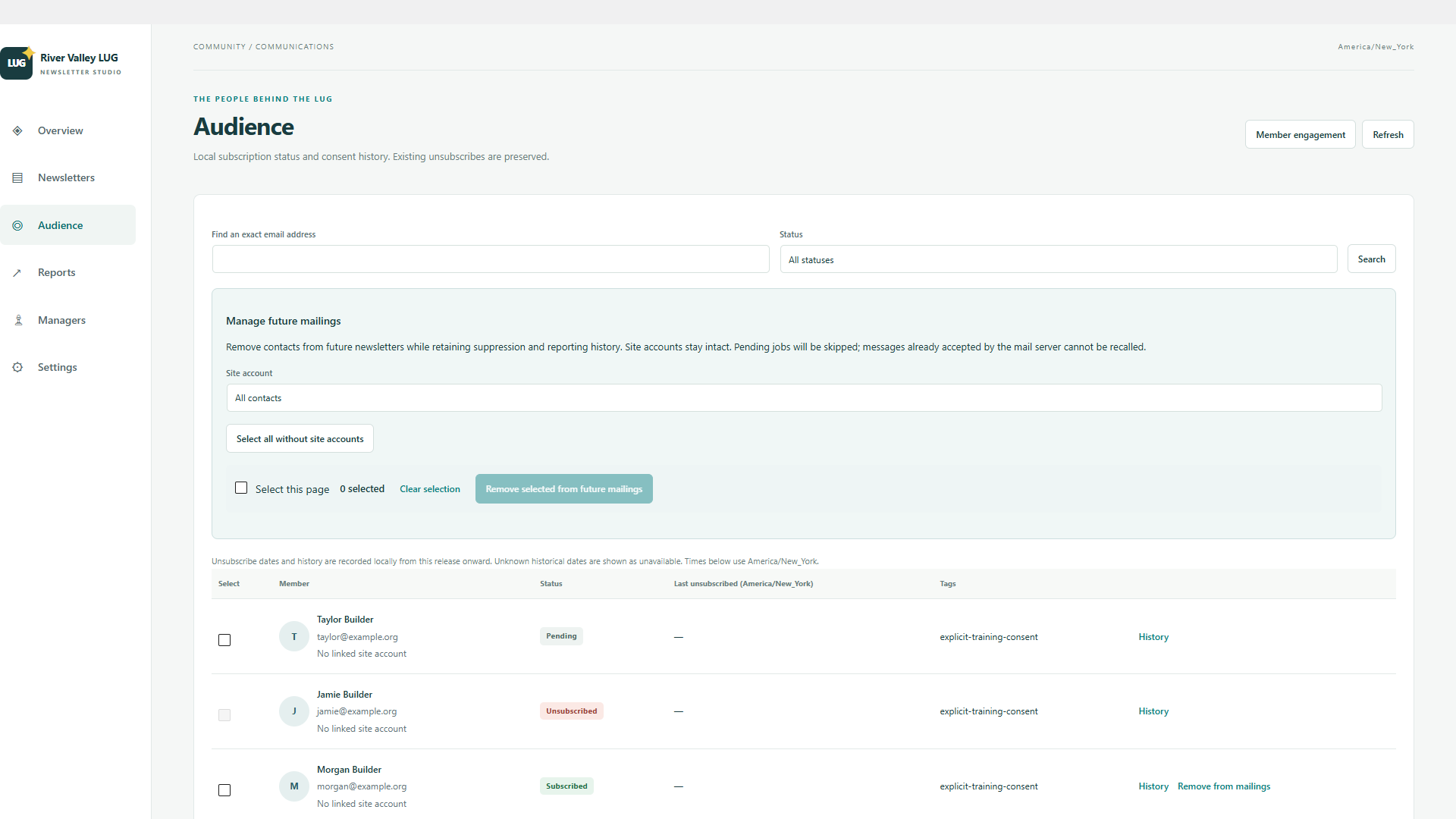
NameEmailSubscription example
Alex Builder[email protected]Subscribed
Morgan Builder[email protected]Subscribed
Casey Builder[email protected]Subscribed
Jamie Builder[email protected]Unsubscribed
Taylor Builder[email protected]Pending

Simulated reporting

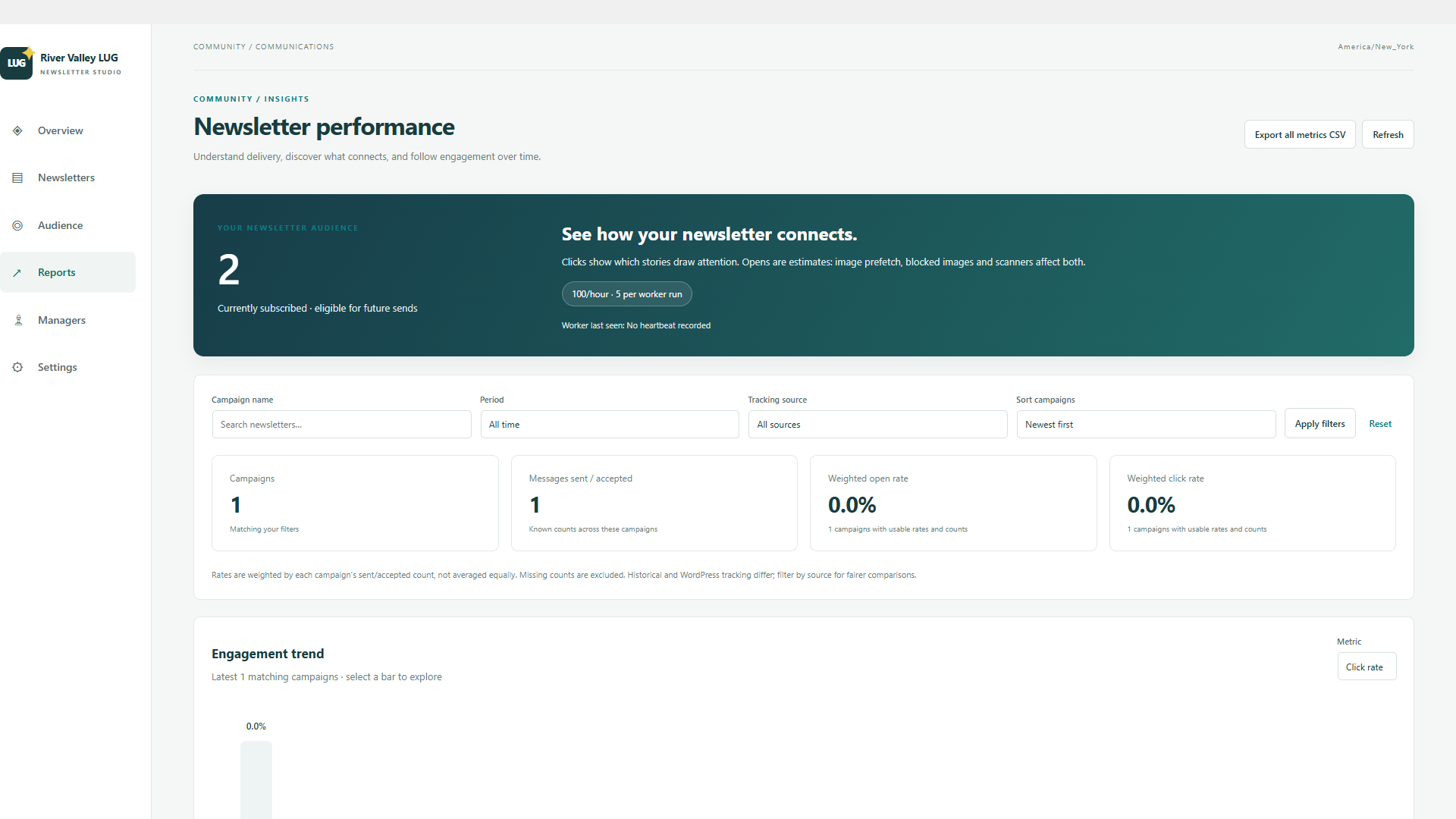
The sample report contains closed example delivery rows and simulated opens and clicks. No message was sent. There are no queued or scheduled sample deliveries.

Inside the workspace

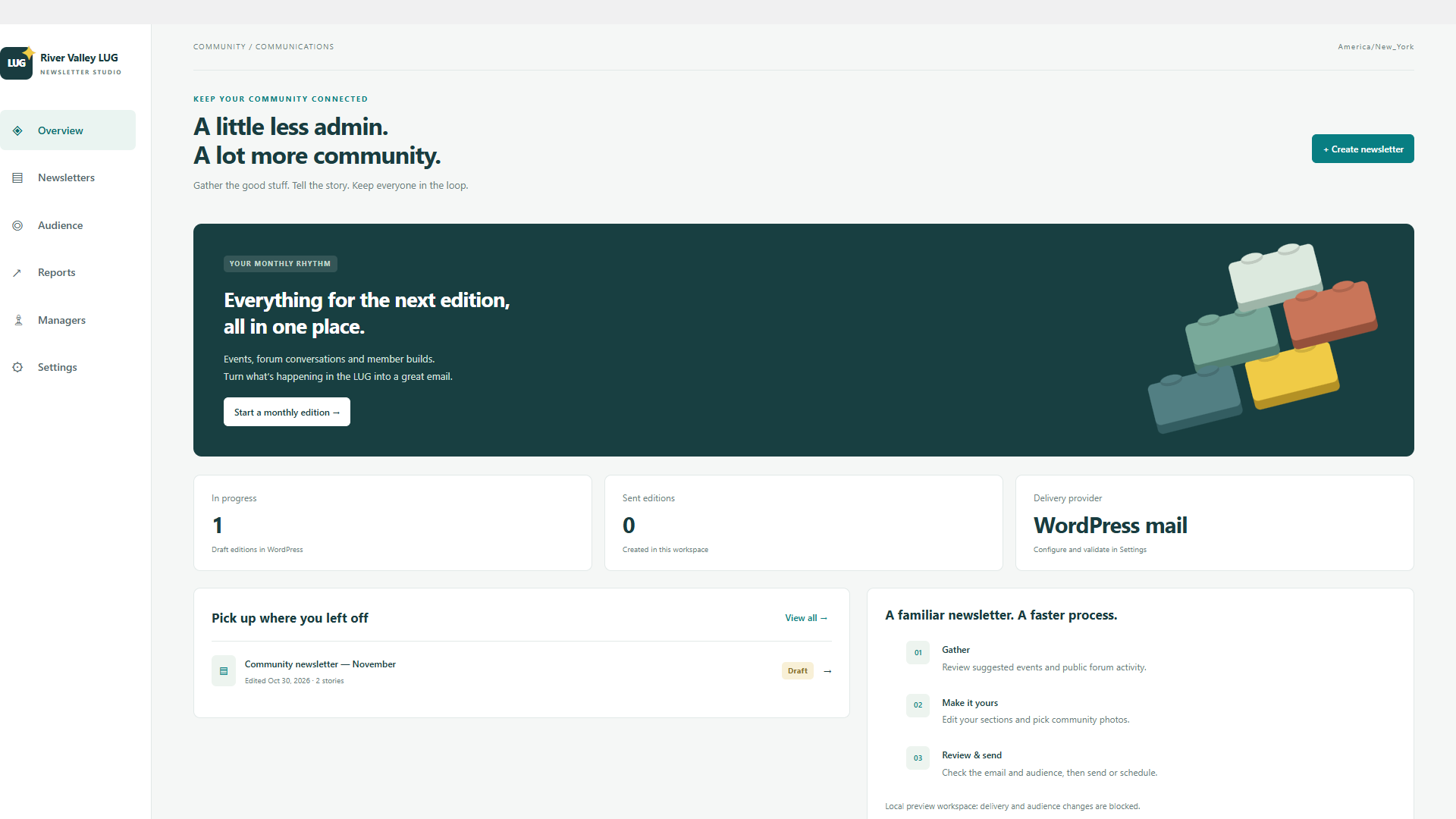
Newsletter overview with one draft and links to composition, audience and reports
Newsletter workspace — Local demonstration; no email sent.
Newsletter draft with organized stories, event dates, links and an email preview
Compose stories and preview the email — Local demonstration; no email sent.
Newsletter subscription statuses and future-mailing controls using example contacts
Manage consent and future mailings — Local demonstration; no email sent.
Campaign report library with labeled local engagement measurements
Delivery and engagement reporting — Local demonstration; no email sent.
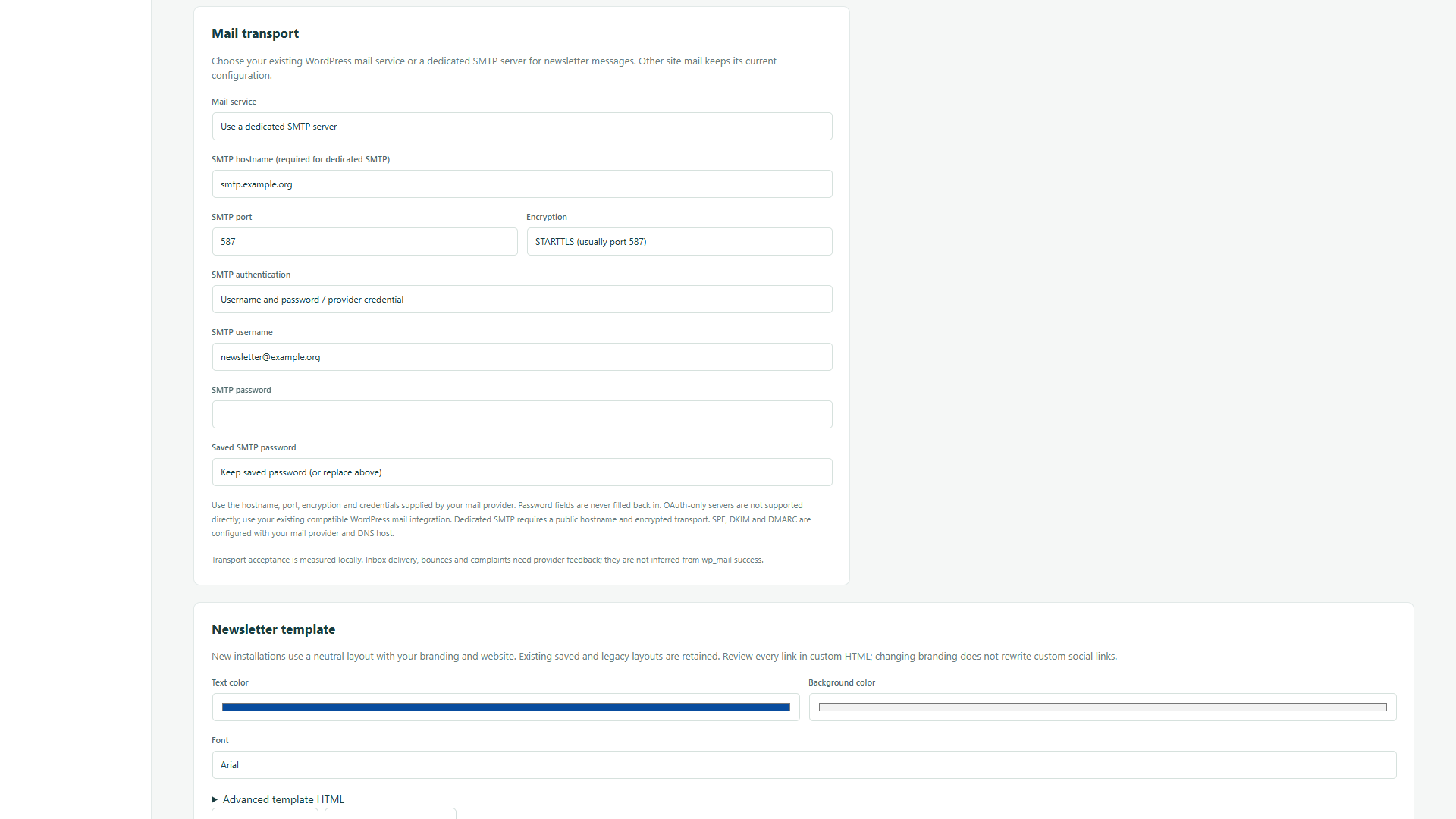
Mail-service settings with example SMTP hostname, encryption and authentication controls
Choose WordPress mail or dedicated SMTP — Local demonstration; no email sent.
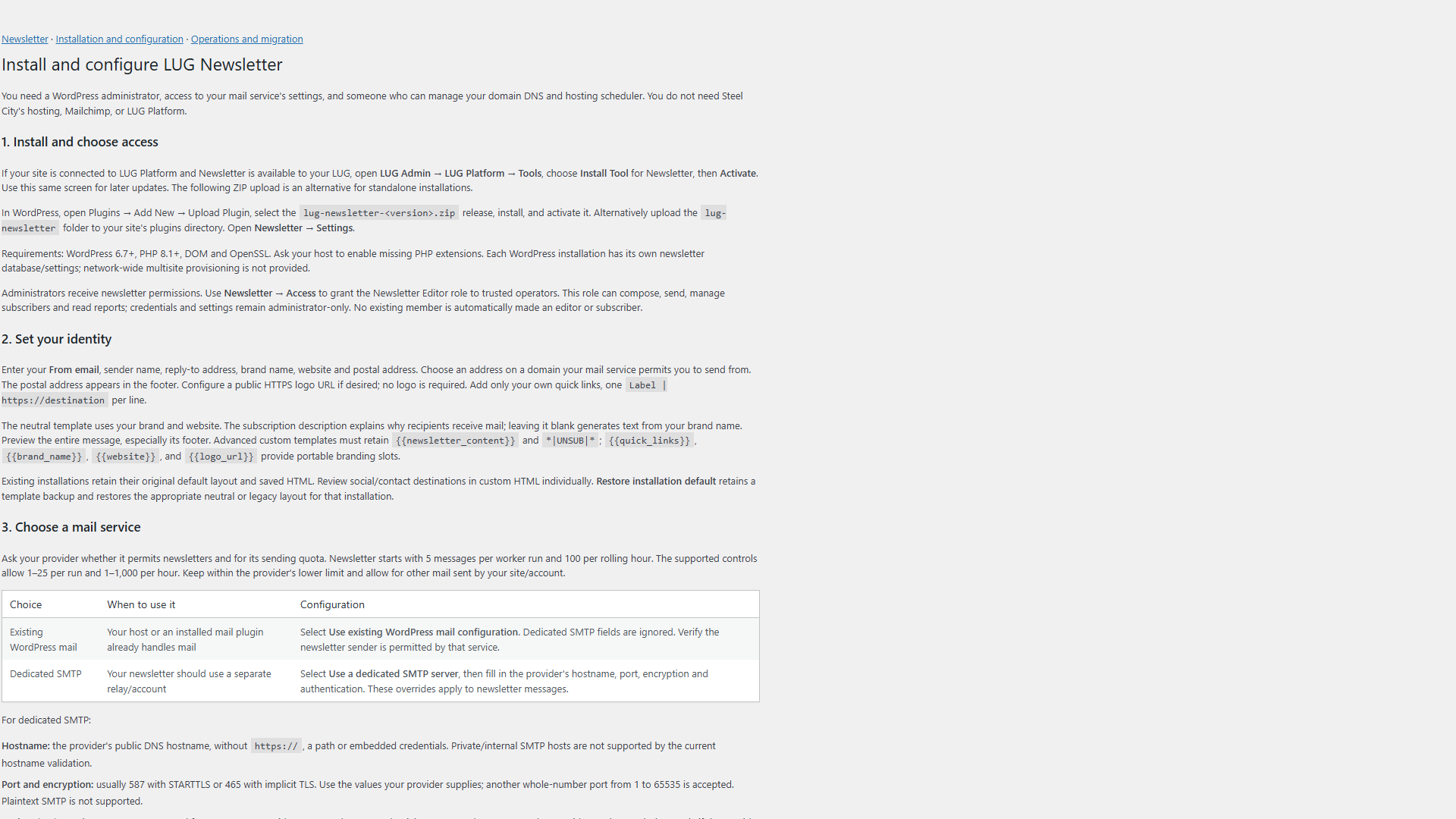
Bundled installation guide describing configuration, permission and delivery requirements
Installation guidance included — Local demonstration; no email sent.

Learn the workflow

Step-by-step training covers setup, composition, photos, subscribers, delivery and reports.

Watch LUG Newsletter How-To · Open the YouTube playlist

Installation and availability

Install through your connected LUG Platform site when Newsletter is available to your LUG. The plugin includes its own setup and operations guides. Check the product catalog for release availability.

Newsletter in the LUG Platform catalog